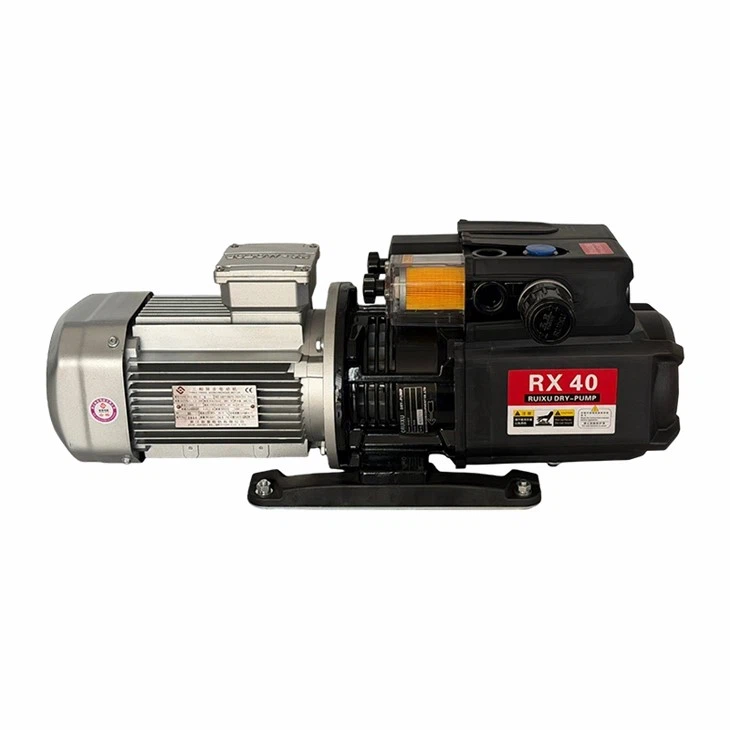
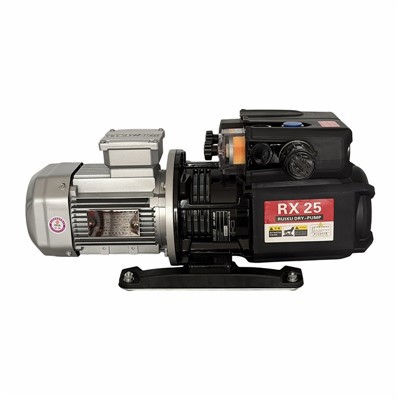
Hey there! As a supplier of High Cfm Vacuum Pumps, I've seen my fair share of issues that customers run into. Today, I'm gonna walk you through how to troubleshoot a High Cfm Vacuum Pump. Whether you're a newbie or a seasoned pro, these tips should help you get your pump back up and running in no time.
Understanding the Basics
First off, let's quickly go over what a High Cfm (Cubic Feet per Minute) Vacuum Pump is. It's a pump that can move a large volume of air in a short amount of time, which is super useful for a variety of applications like industrial processes, laboratories, and even some automotive work. There are different types of High Cfm Vacuum Pumps, such as Dry Type Vacuum Pump, Free Air Displacement Vacuum Pump, and Compressed Air Vacuum Pump. Each type has its own unique features and potential problems.
Common Problems and Solutions
1. Low Vacuum Level
One of the most common issues is a low vacuum level. If your pump isn't reaching the desired vacuum level, there could be a few reasons.
- Leakage: Check for any leaks in the system. This could be from loose fittings, cracked hoses, or damaged seals. A simple way to check for leaks is to use a soapy water solution. Apply it to the suspected areas, and if you see bubbles forming, you've found a leak. Tighten the fittings or replace the damaged parts.
- Clogged Filters: Filters can get clogged over time, restricting the flow of air. Check the filters and clean or replace them if necessary. This is especially important for Dry Type Vacuum Pump as they rely on clean air intake.
- Worn Out Components: The pump's internal components, like the vanes or pistons, can wear out over time. If you suspect this is the case, it might be time to replace these parts. You can usually find replacement parts from the pump manufacturer or a reliable supplier.
2. Excessive Noise
If your pump is making a lot of noise, it could be a sign of a problem.
- Misalignment: Check if the pump is properly aligned. A misaligned pump can cause vibrations and excessive noise. Make sure the pump is mounted securely and that all the connections are tight.
- Loose Parts: Look for any loose parts inside the pump. This could include bolts, nuts, or other components. Tighten them up to reduce the noise.
- Worn Bearings: Bearings can wear out over time, causing a grinding or squealing noise. If you suspect the bearings are worn, replace them as soon as possible.
3. Overheating
Overheating is another common problem that can damage the pump.
- Lack of Lubrication: Some pumps require lubrication to operate smoothly. Check the lubrication level and add more if needed. Make sure to use the recommended lubricant for your pump.
- Poor Ventilation: Ensure that the pump has proper ventilation. If it's located in a confined space, the heat can build up quickly. Move the pump to a more ventilated area or install additional cooling fans.
- Overloading: If the pump is being overloaded, it can cause it to overheat. Check the workload and make sure it's within the pump's capacity. If necessary, reduce the load or upgrade to a more powerful pump.
4. Oil Contamination
For pumps that use oil, oil contamination can be a major issue.
- Dirty Oil: Check the oil level and quality regularly. If the oil is dirty or contaminated, drain it and replace it with fresh oil. Make sure to follow the manufacturer's recommendations for oil type and change intervals.
- Leaking Seals: Leaking seals can allow contaminants to enter the oil. Inspect the seals for any signs of damage or wear and replace them if necessary.
Step-by-Step Troubleshooting Process
- Initial Inspection: Start by visually inspecting the pump. Look for any obvious signs of damage, such as cracks, leaks, or loose parts. Check the power supply and make sure the pump is properly connected.
- Check the Vacuum Level: Use a vacuum gauge to measure the vacuum level. Compare it to the desired level. If it's lower than expected, follow the steps above to troubleshoot the low vacuum level.
- Listen for Noise: Turn on the pump and listen for any unusual noises. If you hear any grinding, squealing, or rattling, try to identify the source of the noise and take appropriate action.
- Check the Temperature: Use a thermometer to check the temperature of the pump. If it's overheating, follow the steps above to troubleshoot the overheating issue.
- Inspect the Oil (if applicable): If your pump uses oil, check the oil level and quality. If it's dirty or contaminated, drain and replace the oil.
- Test the Pump: After making any necessary repairs or adjustments, test the pump to make sure it's working properly. Check the vacuum level, noise level, and temperature again to ensure everything is within the normal range.
When to Call a Professional
Sometimes, the problem might be too complex to fix on your own. If you've tried all the troubleshooting steps and the pump still isn't working properly, it's time to call a professional. A professional technician will have the expertise and tools to diagnose and repair the problem quickly and effectively.


Conclusion
Troubleshooting a High Cfm Vacuum Pump doesn't have to be a headache. By following these steps and keeping an eye out for common problems, you can keep your pump running smoothly and avoid costly repairs. If you're in the market for a new High Cfm Vacuum Pump or need replacement parts, don't hesitate to reach out to us. We're here to help you find the right solution for your needs.
References
- Manufacturer's manuals for High Cfm Vacuum Pumps
- Industry best practices for vacuum pump maintenance and troubleshooting